Download
Free Download

Download UltraViewer

Latest version for Windows. Verify SHA256, install safely, and start remote support in minutes.

Latest stable release

UltraViewer 6.6.127

  • Platform: Windows (32-bit and 64-bit)
  • OS support: Windows XP, 7, 8, 10, 11, Windows Server
  • File size: approximately 3.5 to 3.65 MB
  • License: Free freeware (optional paid tiers available)
  • Release context: Updated January 2026 per distribution mirrors
UltraViewer application icon

Each click uses a secure direct download link. Verify SHA256 hashes below before you run the installer.

Previous Versions

Older builds remain available for compatibility testing and legacy Windows environments.

VersionNotesDownload
6.6.124Prior stable build referenced in security scansDownload
6.6.113Legacy compatibilityDownload
6.6.110Legacy compatibilityDownload

Source Transparency

Official Builds Only

Download UltraViewer only from verified official channels you control on UltraViewer.io. Third-party repackaged installers may bundle unwanted software or modified binaries. Always prefer the publisher-signed executable from this download page once links are active.

MIT License (Community Distribution)

UltraViewer is distributed as freeware and listed under MIT License on community software indexes. Source transparency means understanding what the installer does: remote desktop service, firewall rules for connectivity, and optional startup entries for unattended access when enabled by the user.

SHA256 & Digital Signature Verification

Verify every download before running. Compare the file hash on your machine with the published SHA256 checksum for that exact version and file name.

Example: Version 6.6.127

SHA256: c25e4de8b2eeaa259e67157fe6e21027eb78bef90e08a33ce5ff2a188a06e54e

Run in PowerShell: Get-FileHash .\UltraViewer.exe -Algorithm SHA256

Example: Version 6.6.124

SHA256: 020aac79a14717e316a593155ca778dd3e253b888bf62633b174838d35df7f41

SHA1: b12c2771c040f6175902ec5941ffd09748f87ed3

Hashes are sourced from independent distribution security reports. Update this section when you publish new builds.


Antivirus False Positive Clarification

Remote desktop tools are often flagged heuristically because they enable screen control, file transfer, and background connectivity. Behavior similar to legitimate admin software can trigger generic detections such as "RiskTool" or "PUA" even when the file is clean.

  • Independent scans of official UltraViewer 6.6.124 reported 100/100 clean with no virus, spyware, or malware.
  • If Windows Defender or another AV quarantines the installer, verify SHA256 first, then add an exclusion only after confirming the binary is official.
  • Never disable antivirus permanently. Use vendor reporting tools to submit false positives when hashes match official releases.

Read the full antivirus troubleshooting guide

Security & Integrity

Encrypted Sessions

AES-256 encrypted connections with partner consent required for control.

No Hidden Malware

Official builds are designed for remote support, not spyware. See trust policy.

User Responsibility

Only connect to systems you are authorized to access. Unauthorized use is illegal.

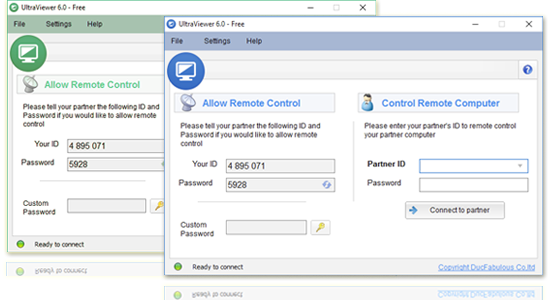
UltraViewer download and install preview