Product Features
Every tool for secure remote support, from desktop control to encrypted file sharing.
Full Desktop Control
UltraViewer delivers low-latency remote desktop control for support, online education, and remote work. View the entire partner screen, run applications, change settings, and resolve issues without an on-site visit.
- View-only mode for demonstrations and training
- Screen sharing in both directions
- Multi-monitor support on remote systems
- 4K resolution support on supported plans
How to connect: step-by-step guide
Session & Connection Monitoring
Stay aware of connection health, active sessions, and partner visibility throughout every support call.
Live Session Visibility
Your partner sees everything you do on their screen in real time. They can end the session or take back control instantly, which keeps remote support transparent and accountable.
Network Resilience
Auto-reconnect after network interruption helps maintain long support sessions. Monitor connection stability during file transfers and screen streaming.
Troubleshoot connection drops
Advanced Permissions & Access Control
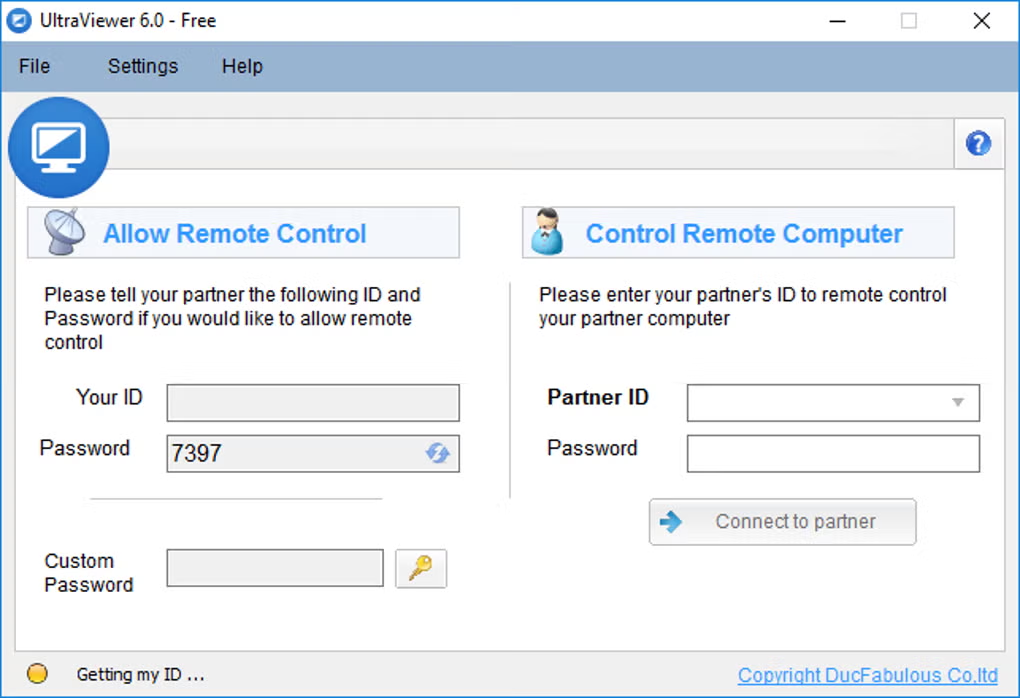
Remote access only with explicit partner consent, optional unattended access, and encrypted channels.
ID & Password Gate
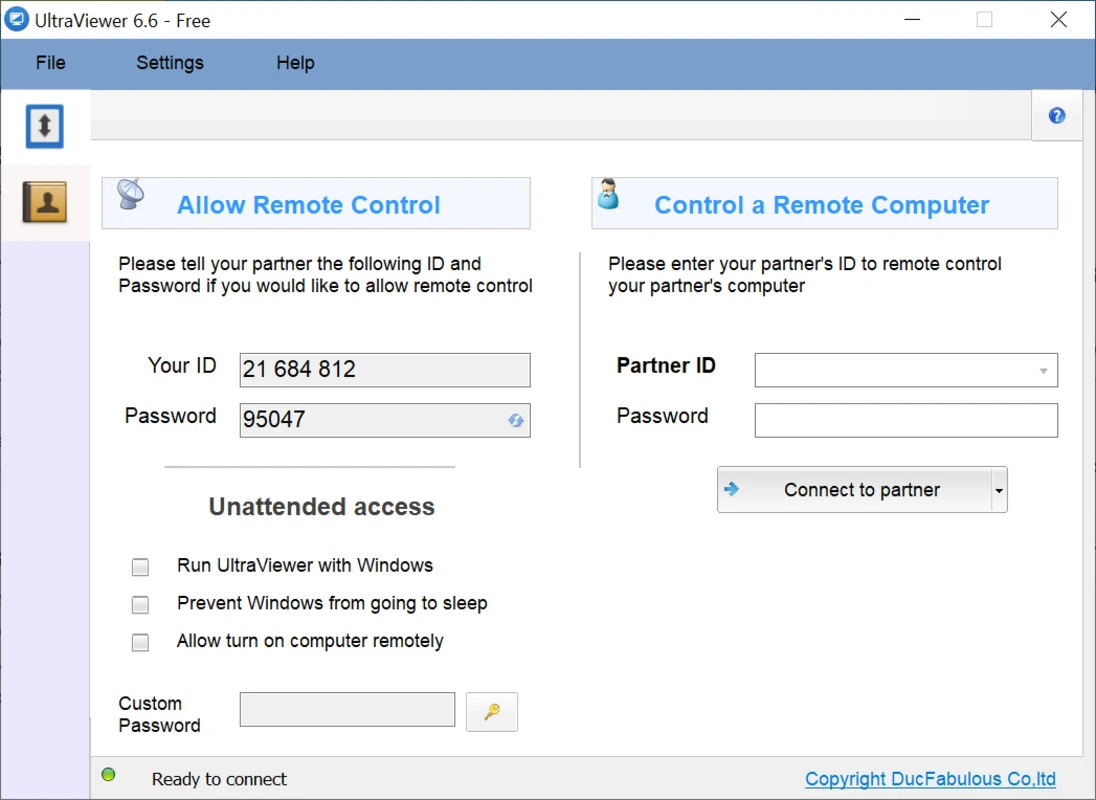
Every session starts with credentials displayed on the host machine. No connection without the partner sharing ID and password.
Unattended Access
Configure trusted devices for maintenance windows after authorization. Ideal for IT admins managing fleets.
AES-256 Encryption
Sessions are encrypted end to end. Safe remote control is a core design goal, not an afterthought.
Security policy
Chat & File Transfer
Built-In Chat Window
Communicate with your partner while controlling their machine. Toggle chat on or off with default hotkey F1 or a custom hotkey you configure.
Secure File Sharing
Send and receive files through the chat window under partner supervision. Free tier supports large transfers (up to 2 GB per file); Pro and Premium raise limits to 4 GB and 8 GB respectively.
File transfer best practices
Extended Capabilities
Multi-session tools, portable deployment, and productivity extras for power users and IT teams.
Multi-Computer Control
Control multiple computers at once or share your screen with several partners simultaneously.
Portable Version
Run without installation for quick support on locked-down or temporary machines.
Session Recording
Record sessions for training, compliance documentation, or internal QA review.
Wake-on-LAN
Wake sleeping computers remotely when configured, reducing failed after-hours connections.
Clipboard Sync
Copy text and data between local and remote clipboards during active sessions.
Themes & Languages
Dark and light interface themes plus multi-language UI for global support teams.
Download version 6.6.127 free for Windows.
Download UltraViewer